

How to turn on/off the auto-reverse hotspot

You are here:

By default, the auto-reverse hotspot is activated. It makes it easier for you to build your tour and ensures you don’t forget to add the reverse hotspot so your visitor doesn’t get “stuck” in your tour.

You may want to switch it off though and here’s how:

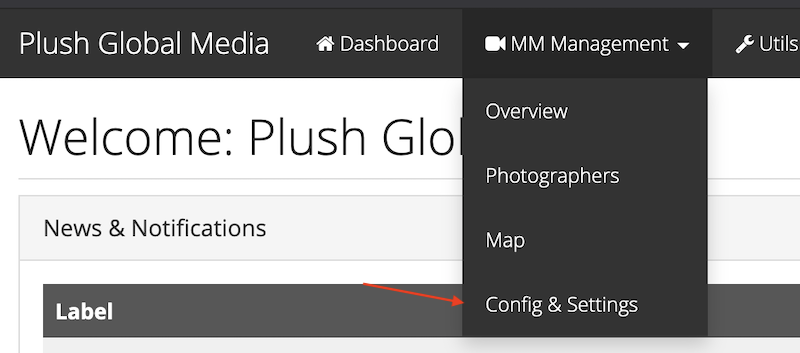
Click on mm management > config & settings
Click the tab “Vts”
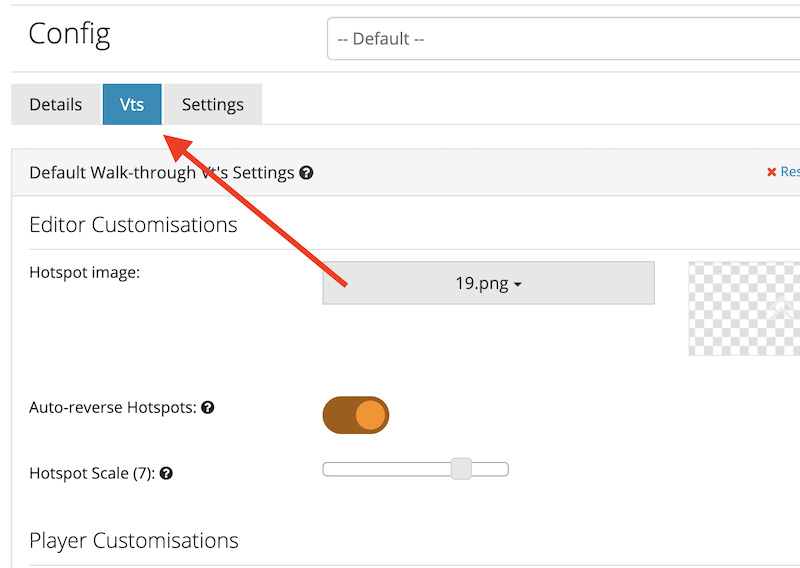
Deactivate  “Auto-reverse hotspot”

Click save


Was this article helpful?
Dislike 0
Views: 228

Subscribe to our newsletter

Stay up to date about our software updates and exclusive discounts! 

We send out 1 email per month (max) so don’t worry, we won’t spam you! 

Tour Credit: My360Marbella

SIGN UP FOR V2 UPDATES

Leave your details below and we will keep you updated on all V2 and new editor Updates.

Submitting Your Details Will Add You To The V2 Waiting List!